
Knowing Who Unfollowed You on Instagram: Two Methods
Instagram sends no unfollow notification and gives you no record of who left, so knowing who unfollowed you on Instagram means comparing a saved copy of your follower list with a fresh one. You can do that by hand with Instagram’s data export, or let an app hold the copies and do the comparison for you.
Why Instagram keeps unfollows invisible
Instagram treats an unfollow as the other person’s business rather than a report owed to you: a new follower produces a notification, a departure produces nothing at all.
Apps used to name unfollowers automatically because the old Instagram API let an authorized app read a user’s follower list directly. Instagram started closing those endpoints in 2018 and finished the job in 2020. What is left: the list of who follows you right now, in the app, and a copy of that list on request. Both are snapshots. Neither one remembers yesterday.
Knowing who unfollowed you on Instagram starts with a saved copy
No tool — spreadsheet, website or app, paid or free — can tell you who left last month when your first snapshot is from today. The clock starts with the first copy, which is the argument for taking one now instead of when the count drops.
Method 1: how to see who unfollowed you with Instagram’s data export
Instagram will hand you the list in writing, free, with no third party involved. The request lives under Settings and activity → Accounts Center → Your information and permissions → Download your information (newer versions of the menu call it Export your information).
- Pick the profile, choose the partial export — Some of your information, or Customize information in newer versions — and tick Followers and following.
- Choose the download-to-device option (Download to device, or Export to device in newer versions), a date range of All time, and HTML as the format — a web page you can read on the phone. Pick JSON only if you plan to script the comparison.
- Submit the request. A followers-only export usually arrives in minutes to a few hours — Instagram’s own warning says it can take up to 30 days — as a link in the app and by email.
- Save the ZIP somewhere you will find it again. That file is snapshot one.
Opening it on a phone. On iOS, tap the ZIP in Files and it expands into a folder of the same name; on Android, use the extract option in your file manager. The list sits at connections/followers_and_following/followers_1.html — tap it and it opens as a page (the Files preview on iPhone, Chrome on Android) with one row per follower: the profile link, the username, and the date that account started following you.
Comparing two exports. Request a second copy a week later and look for usernames in the older file that are absent from the newer one. Below a few hundred followers, reading the two HTML pages one against the other is enough. An AI assistant can also do the matching once you hand it both files — the data download plus ChatGPT, nothing installed.
Above that, use a computer: open each export’s followers_1.html in a browser (plus followers_2.html on a large account), select all, copy, and paste the older list into column A of a spreadsheet and the newer one into column B. Then fill =COUNTIF(B:B,A2)=0 down column C: every TRUE marks a line the newer export no longer has. The price is patience, because every comparison means a fresh request, a wait, and a manual pass.
Method 2: an app that keeps the lists on your phone
An app removes the waiting: it fetches the list itself and keeps the previous one to compare against. Before trusting one, check where the sign-in happens, what the free tier actually covers, and where the lists are stored.
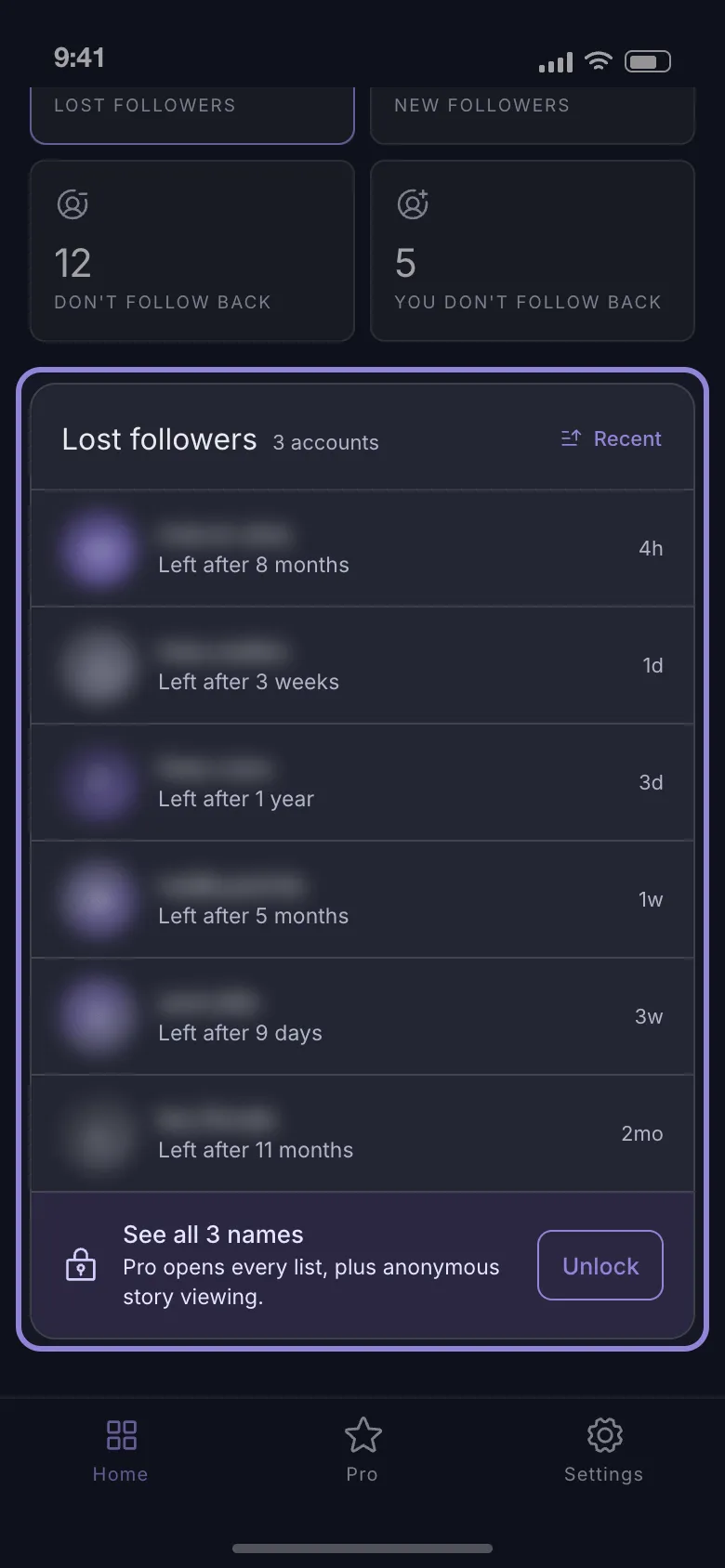
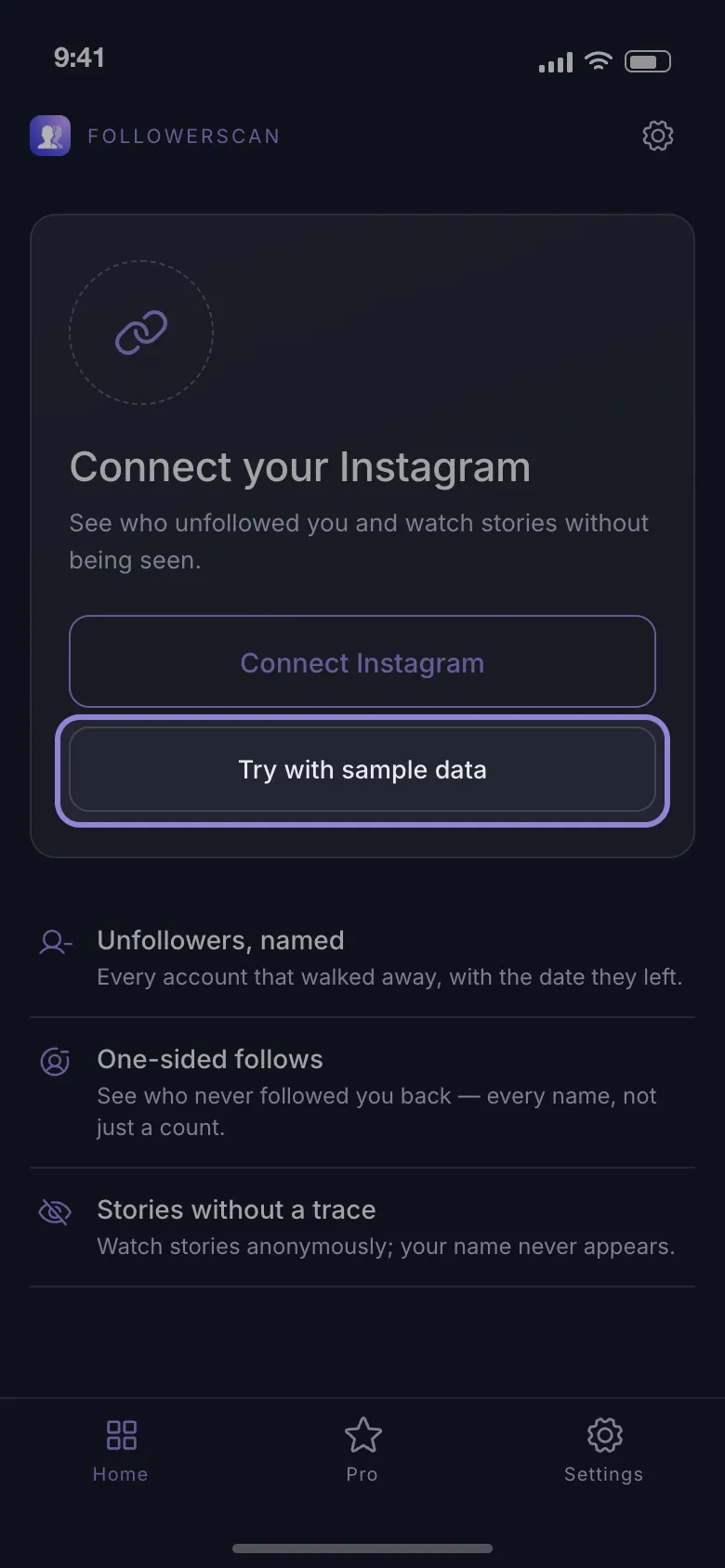
FollowerScan answers those three plainly. You connect the account on Instagram’s own login page inside the app. Signed in as you, it pulls the same follower and following lists the Instagram app shows you. Each later scan updates four lists: who unfollowed you, who is new, who you follow that does not follow back, and who follows you that you do not follow back.
Its unfollower lists show their counts for free, with six rows blurred as a preview; the names need Pro, a monthly or yearly plan.
Your session and every list are stored on the phone, and follower requests go straight to Instagram with no server of the app’s in between. The app does run analytics and crash-reporting tools, though, so not everything stays on the phone.
What to expect: open it a day after a scan and it fetches the lists again instead of showing you the stored copy. The first scan of a large account takes a while, because it walks the list 60 accounts at a time, pausing two seconds between pages. Every screen can also run on sample data before you connect anything, so you can judge the app while signed out.
What the free online checkers really need from you
Search for an unfollower checker and most results are sites that want a username in a box and promise a list in return. Instagram shows follower lists only to signed-in accounts. A site that asks only for a username has two options. It can read your public profile through accounts of its own, which fails on a private profile and, on day one, has nothing to compare with. Or its next screen asks for your Instagram password.
Instagram sees a login from an unfamiliar data center and often answers with a challenge or a temporary action block — no likes, comments or follows for hours. And because the site keeps working after you close the tab, changing your password is the only way to revoke what you gave it.
What no unfollower tracker can tell you
- Who unfollowed someone else, or who they followed most recently. Every list is built from the account that signed in. Reading a stranger’s follower changes is not something any legitimate tool does, whatever the landing page says.
- Whether a follower is fake. Bot scores are guesswork presented as data. What a list can prove is narrower: this account does not follow you back, this one was in last week’s list and is gone from today’s.
- Whether you were muted. Someone can mute you and stay in your follower list for years. No tracker sees that; your reach does. It is the quiet alternative to leaving: muting someone instead of unfollowing.
When a name on the list is wrong
These look exactly like an unfollow and are not:
- A deactivated, deleted or suspended account. It vanishes from your followers exactly the way someone who left does; a deactivated account that comes back follows you again.
- A block. Whoever blocks you also stops following you.
- A spam sweep. Instagram removes fake accounts in batches, so a dozen departures can land on one day with nobody choosing to go.
- A changed username. The export comparison matches by name, so a rename reads as one unfollow plus one new follower.
Verifying takes ten seconds. Search for the name in your own Followers list: if it is there, the account follows you now — a deactivation that ended, or a tool error. If it is not, open the profile: an error page instead of a profile means the account is gone, renamed or has blocked you; a profile that loads is a genuine unfollow.
How often is checking actually worth it?
Checking more often does not buy more names — it buys a date.
Post a divisive Reel on Friday, check Saturday, and the eleven names that disappeared belong to that Friday. Check three weeks later and you get forty names and no way to tell which post cost you which. So check just before you post and again the day after when you want to know which post did it. With the names and the date in hand, why people unfollow covers the usual reasons and how to tell a misclick from a decision.
With two exports, any interval works — you keep the files. In the app the lost-followers list reaches back 7 days and the daily counts behind its follower trend are kept 30 days on the phone — so open the list within a week of the scan that found a drop, not at the end of the month. Download FollowerScan, connect the account and let the first scan finish. From the second scan on, the lost-follower count is free, and Pro puts the names next to it.
Frequently asked questions
Can someone tell that I checked whether they unfollowed me?
No. Reading your own follower list is invisible to everyone on it, and Instagram sends no notification when a list is read or compared. The only things another account sees are actions you take on their content: a like, a comment, a message, or your name in their story viewers.
Do sudden unfollows hurt your reach?
Not by themselves. Instagram ranks a post by how the people who see it respond, not by your follower total, and losing inactive accounts can raise the share of your audience that engages. When a drop and a reach dip land on the same day, they are usually two symptoms of one post, not cause and effect.
Does the export also list accounts I unfollowed?
Yes — and it answers the opposite question. The same folder holds a list of profiles you recently unfollowed, taken from your own activity; it says nothing about who unfollowed you.
Related articles
Keep reading with these related guides and articles
How to See Who Unfollowed You on Instagram With ChatGPT
How to see who unfollowed you on Instagram with ChatGPT: what an AI assistant can really do, plus the data-download...
Read moreWhy Do Girls Unfollow Me on Instagram? 5 Honest Reasons
Why do girls unfollow me on Instagram? The five reasons behind most unfollows, how to tell a misclick from a decision,...
Read moreHow to See Less of Someone on Instagram Without Unfollowing
How to see less of someone on Instagram without unfollowing, or stop seeing them at all: mute posts or stories, what...
Read more
Get FollowerScan
See every name, not just the count.
Connect your Instagram account, let the first scan finish, and refresh whenever you want to know what changed.
No password stored • Free to start • iOS and Android