
Why Do Girls Unfollow Me on Instagram? 5 Honest Reasons
Why do girls unfollow me on Instagram? Almost always for one of five ordinary reasons: a feed cleanup, a follow-back account moving on, something you posted, an account Instagram removed, or a misclick. Work out who left first — the why follows from that.
What Instagram tells you, and what it hides
Instagram publishes a number, not an event log. Your follower count goes down; nothing names the account, no notification arrives, and nothing dates it — the drop you notice on Tuesday may have happened last Thursday.
Opening one profile confirms this person is gone; it does not tell you whether four others left the same hour.
Both ways to get the full list, Instagram’s data export and an app, are in our guide to knowing who unfollowed you on Instagram.
The five reasons behind most unfollows
- A feed cleanup. Every few months people prune the accounts they never interact with. The tell: two or three followers go within a day or two, and you have not spoken to any of them in months.
- A follow-back account moving on. Some accounts follow first to collect a follow back, then leave a week later to keep their own following count low. The tell: they arrived recently, you followed back, and they never liked a single post.
- Something you posted — or how much of it. Fourteen stories in one evening, a switch to selling something, a topic they never signed up for. The tell: the drop lands within a day of one post or story run, and repeats next time you post the same thing.
- Instagram removed them. A deactivated, deleted or suspended account disappears from your list without anyone touching a button.
- An accidental unfollow. On a profile, Following opens a menu before anything happens; in their own following list, the Following button sits beside every name, and one tap on it is the whole action. The tell: they are back within a few days and neither of you mentions it.
Why do girls unfollow me on Instagram — what is different about a personal unfollow
No study shows that women unfollow for different reasons than anyone else; the five above still apply. What changes is the context, not the reason: you noticed within hours, you can name the post you suspect, and the silence afterwards feels like an answer. “Why did she unfollow me on Instagram” needs a tell, not a theory.
Three situations genuinely stand on their own: someone tidying up after a breakup, someone clearing their list at the start of a new relationship, and a follow that was one-way from the beginning. An account you have never exchanged a message with is the easiest one in anybody’s list to drop.
When you know the person, one more pattern shows up: replies to every story, a run of likes on photos from 2023, messages that go unanswered. From the other side that reads as pressure, and an unfollow is one quiet way to reduce it; muting someone without unfollowing is the other, and it never shows in your count.
Unfollowed, blocked, or gone?
A missing follower is not always an unfollow, and two of these five states never touch your count.
| What happened | Your follower count | What you see from your account |
|---|---|---|
| They unfollowed you | Down one | The profile opens as usual; the button reads Follow again |
| They blocked you | Down one | You cannot find them in search, and their likes and comments have gone from your posts |
| They deactivated, deleted or were suspended | Down one | Nobody can open the profile |
| They muted you | Unchanged | Nothing — muting is invisible from the outside |
| They restricted you | Unchanged | Your comments on their posts are visible only to you |
Rule out a deleted or suspended account first: open their profile in a browser tab where you are not logged in. If it is missing there as well, nobody unfollowed anybody. A profile that loads for a friend but not for you is a block.
How to find out who unfollowed you
One method exists, and every tracker uses it: keep a copy of your follower list, compare it against a later copy, and the names missing from the second one are your unfollowers. Done by hand, that means screenshotting hundreds of names and reading both lists twice.
An app keeps the copies for you. The named unfollowers list in FollowerScan is that comparison: it pulls your full follower and following lists from Instagram, compares consecutive scans, and shows who left, who is new, and who doesn’t follow you back. Rows sort newest or oldest and say how long an account had followed you before it left. The counts are free; the names behind them need Pro, sold as a monthly or yearly plan.
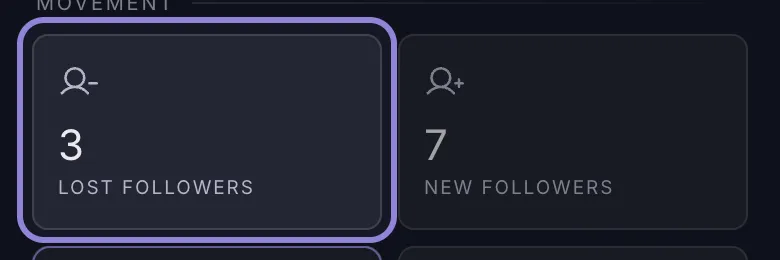
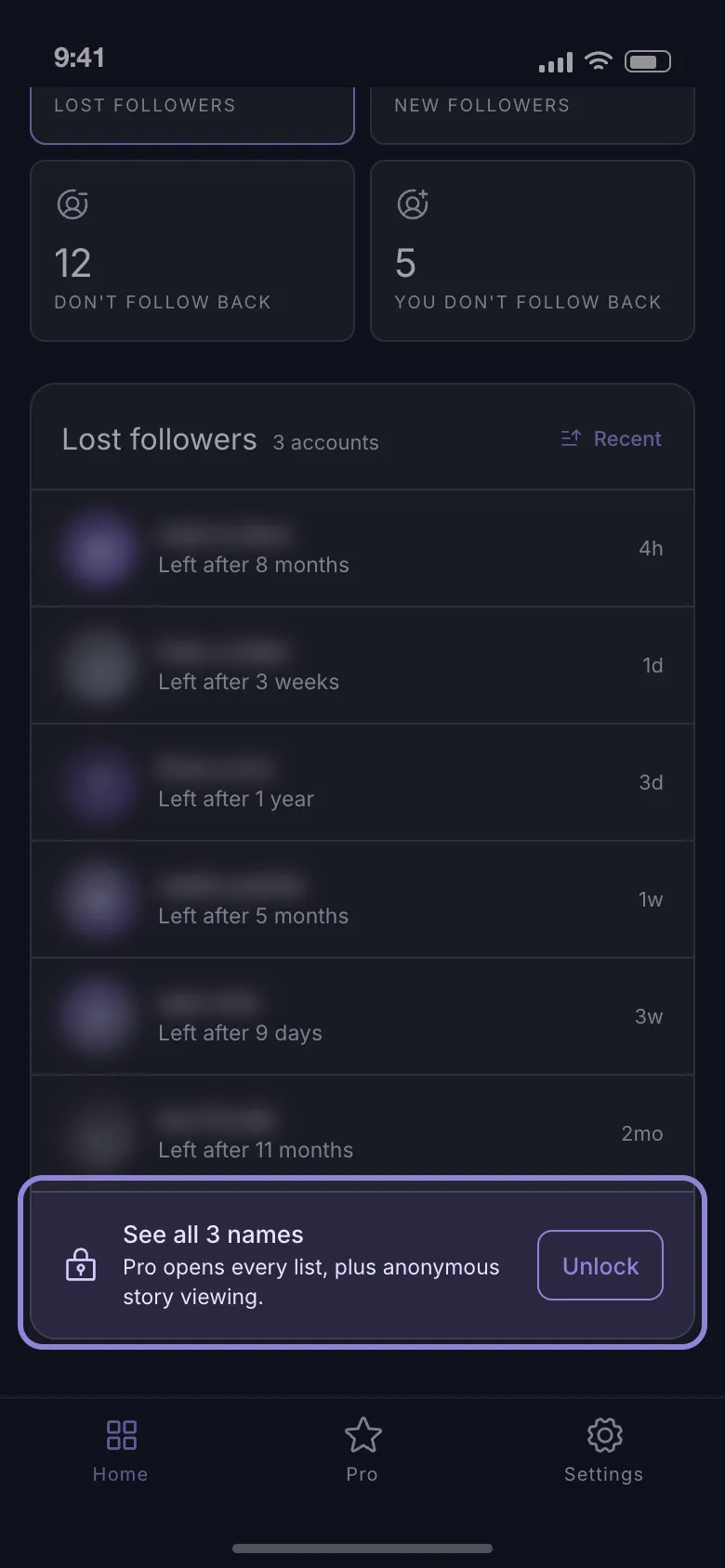
Before you install, two things about how far back it can see. The lost- and new-follower lists reach back 7 days, and nothing exists from before your first scan, so today’s baseline is what tomorrow gets compared against; daily follower counts stay on the device for 30 days, which turns a slow drip into a line instead of a feeling.
The app names the accounts that left — it does not label anyone a bot or a fake follower, because a follower list holds no evidence of that. Sign-in happens on Instagram’s own login page and both lists are stored on the phone, with requests going straight to Instagram; the app also runs analytics and crash-reporting, so it is not a no-data app.
What to do next
- Leave one name alone. Nothing you publish reverses a single person’s choice, and announcing the loss in a story only says you were counting.
- Post less of what drives followers away. Long story runs can go to Close Friends instead.
- Wait a week on anyone you want back. Still gone means deliberate. Re-following only moves you into the one-sided column, and evening the score by unfollowing in bulk is what triggers Instagram’s action blocks.
Scan today so the next drop has a name attached — counts free, names with a Pro subscription: Download FollowerScan.
Frequently asked questions
Is it normal to be unfollowed after a breakup?
Yes, and it is usually not aimed at you. Clearing the follower list is part of how people stop seeing daily reminders of someone. It tends to happen in one sitting, so mutual friends often disappear at the same time — a good sign that you were part of a batch rather than the subject of a decision.
Should I ask someone why they unfollowed me?
If you speak to them in real life and can ask it once, lightly, then yes. If the question needs a paragraph to set up, the answer will not be worth the exchange: most people say they were cleaning up, whether that is the reason or not. An unfollow is a cheap signal, and a question about it makes it expensive.
Does re-following someone who unfollowed me look desperate?
They will see it either way — Instagram sends a notification for a new follow, though never for an unfollow. One quiet re-follow passes without comment. A loop of unfollow, follow again, unfollow fires a fresh notification every time, and that is the part that reads as a reaction. Decide once, then leave it.
Related articles
Keep reading with these related guides and articles
Knowing Who Unfollowed You on Instagram: Two Methods
Instagram sends no unfollow alert. Knowing who unfollowed you on Instagram means comparing two follower lists — here is...
Read moreHow to See Who Unfollowed You on Instagram With ChatGPT
How to see who unfollowed you on Instagram with ChatGPT: what an AI assistant can really do, plus the data-download...
Read moreHow to See Less of Someone on Instagram Without Unfollowing
How to see less of someone on Instagram without unfollowing, or stop seeing them at all: mute posts or stories, what...
Read more
Get FollowerScan
See every name, not just the count.
Connect your Instagram account, let the first scan finish, and refresh whenever you want to know what changed.
No password stored • Free to start • iOS and Android