
Instagram follower tracking
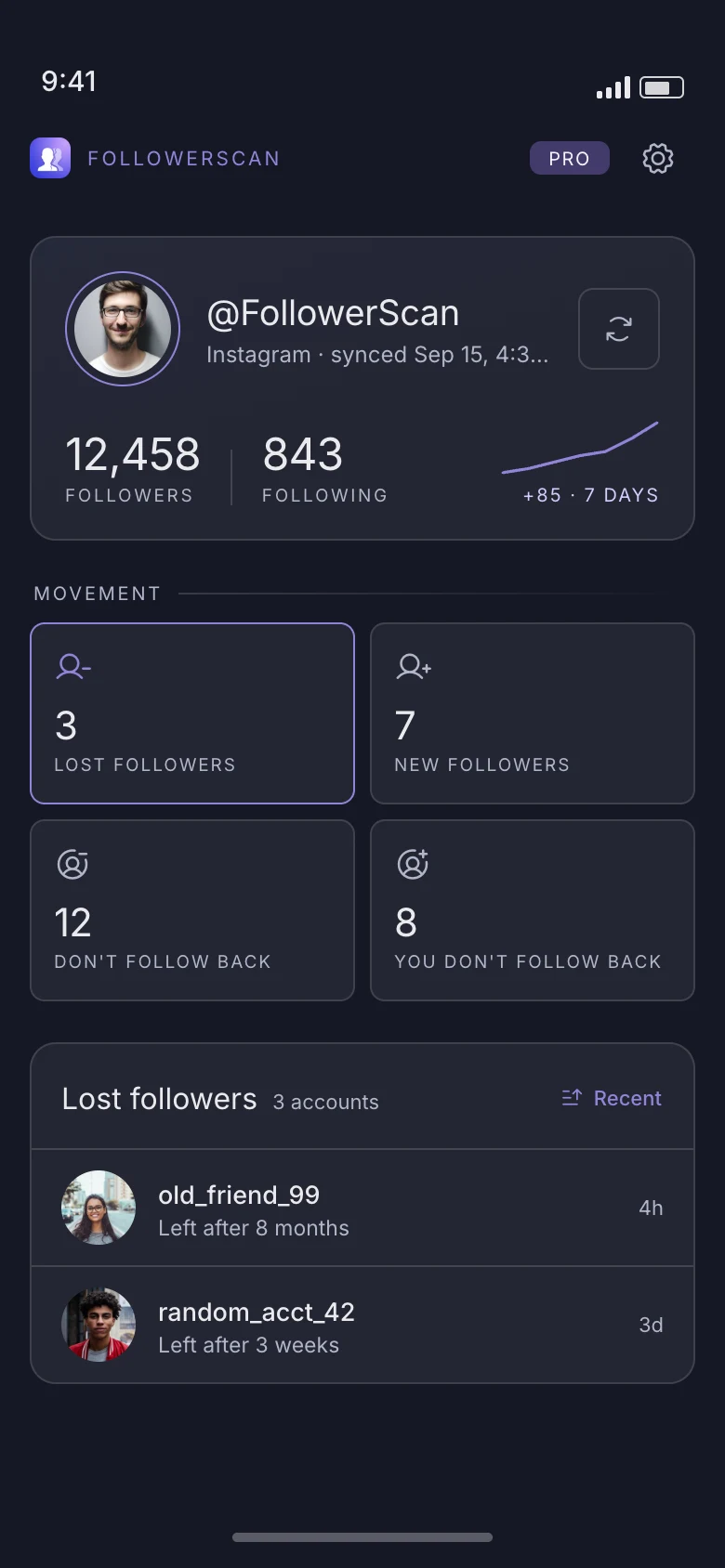
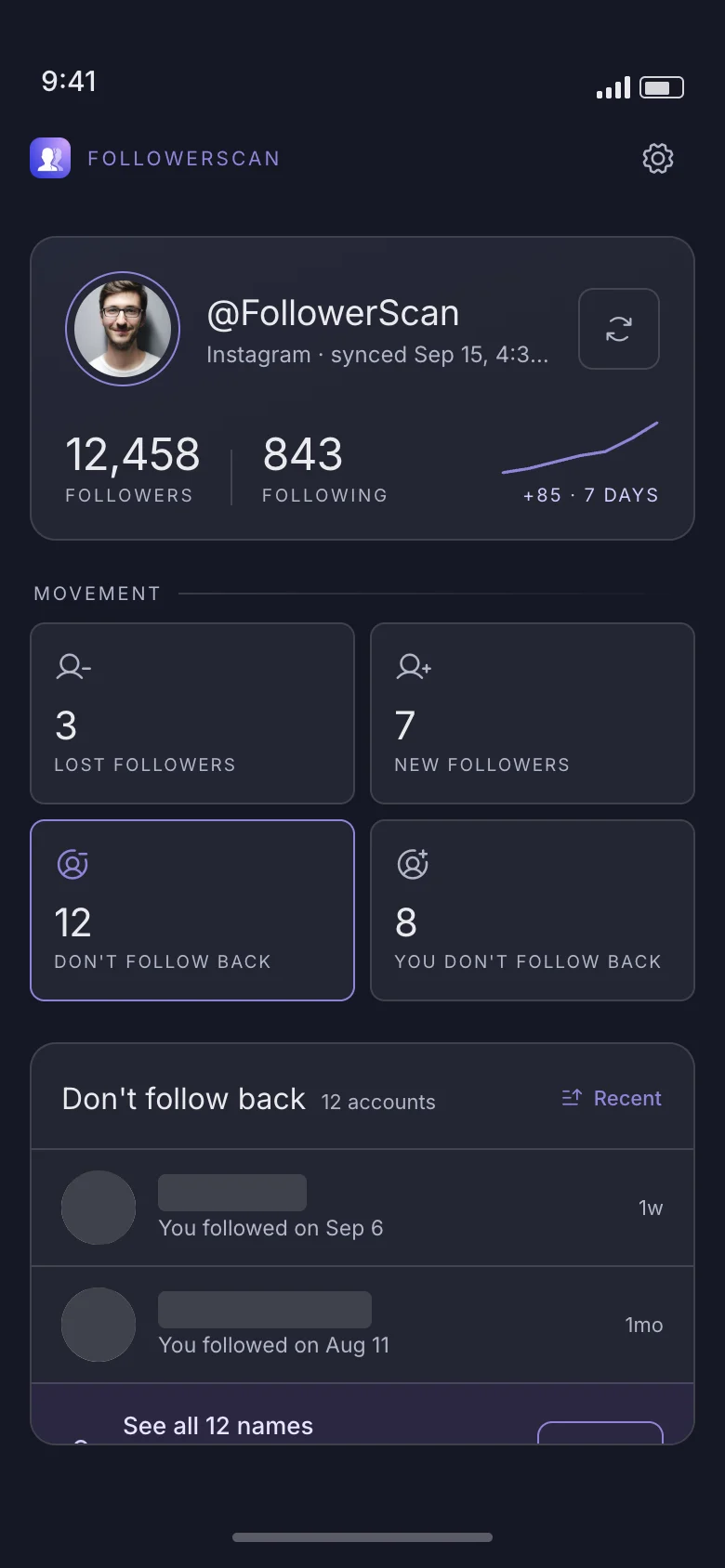
FollowerScan compares each scan of your Instagram followers against the last one, so you see exactly what changed — every name, with the date. You sign in on Instagram’s own page; your password never reaches us.
How it works
The first scan builds the baseline. Every scan after that is a comparison, which is where the names come from.
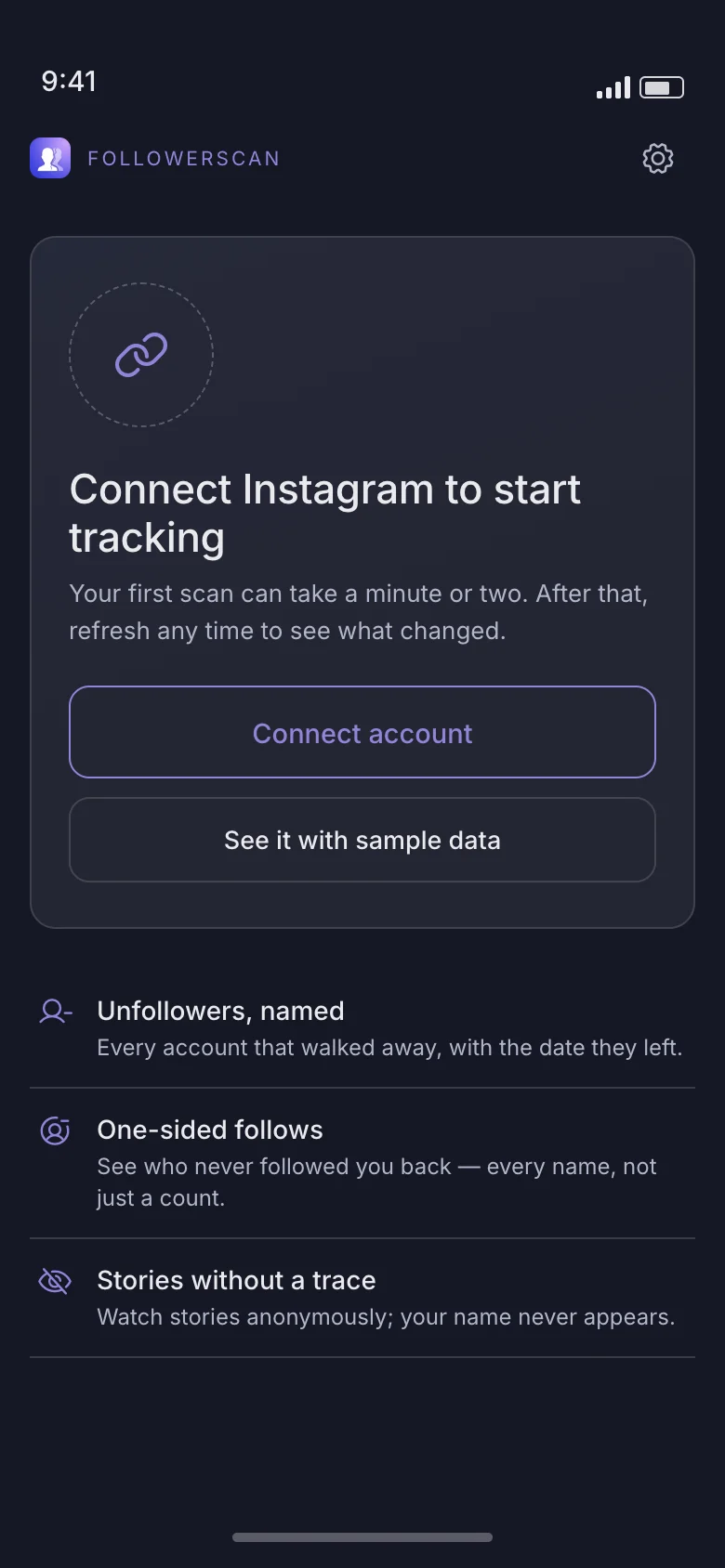
Step 01
You sign in on Instagram’s own page. FollowerScan only keeps the session token on your phone — no password ever reaches us.
Step 02
Your first scan can take a minute or two while it reads your followers and following lists. That snapshot becomes the baseline.
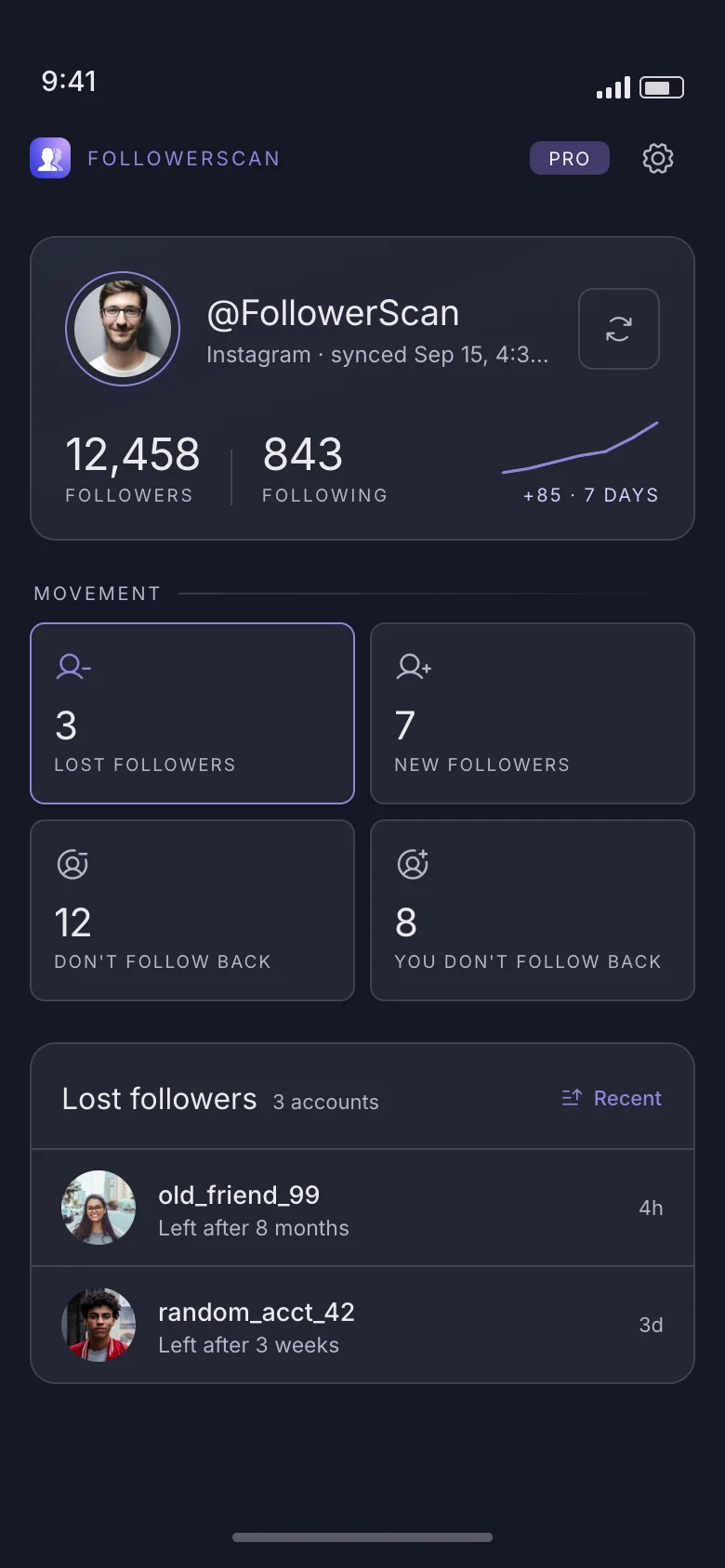
Step 03
Every later scan is compared against the last one. Who left, who arrived, and who never followed back — each with a date attached.
What you get
Instagram tells you how many followers you have. FollowerScan tells you which ones changed, in which direction, and when.
Unfollowers
Every account that walked away, with the date they left.
One-sided follows
See who never followed you back — every name, not just a count — and who you never followed back either.
Arrivals
The accounts that arrived in the past week, newest first, with the day each one started following you.
Stories
Watch stories anonymously; your name never appears in the viewer list. Save any story to your gallery.
Multiple accounts
Add several Instagram accounts and switch between them; each keeps its own history and its own baseline.
Privacy
Follower and following lists are stored locally on your device and are never uploaded to our servers. Delete everything from Settings at any time.
Anonymous stories
Instagram shows every account exactly who opened their story. FollowerScan opens it a different way: it reads the story and stops there, so there is nothing for Instagram to record against your name.
Anonymous story viewing is part of Pro.
Instagram only counts a view when the app tells it to. FollowerScan never makes that call — it fetches the story and does nothing else.
Your name is not removed after the fact; it is never added in the first place. They see the same list of viewers they would have seen if you had never opened it.
Stories from accounts you have muted show up in FollowerScan too, so you can keep up with them without unmuting and without anyone knowing.
Keep the ones worth keeping
Save any story to your phone’s gallery, or hold on to it in the app — saved stories sit in their own list until you delete them. A story is gone from Instagram after 24 hours; the copy you saved is not.
Free and Pro
The free app tracks your account and shows you how much changed. One subscription unlocks every list and anonymous story viewing. Cancel from the store any time.
Free
Get the app
Pro
Pro is an in-app subscription
Pricing is shown in the app in your local currency, and varies by region.
FAQ
The things people ask before they install.
No. You sign in on Instagram’s own page inside the app. FollowerScan only keeps the session token that page hands back, and it stays on your phone.
On your device. The app keeps snapshots locally so it can compare them between scans. They are not uploaded to our servers, and deleting your data in Settings removes them.
Never. The app only reads. It does not post, like, follow, unfollow or message from your account.
No. Instagram only registers a view when the app reports one, and FollowerScan never sends that report — it reads the story and stops. Your name is never added to their viewer list, so there is nothing for them to spot, then or later.
The ones your account can already see: the accounts you follow, including any you have muted. FollowerScan does not open private accounts you do not follow — it changes whether your view is reported, not what you have access to.
It reads your full followers and following lists to build the baseline, which can take a minute or two. Later refreshes only look for what changed, so they are much quicker.
The app needs two scans to tell you what changed: the first one establishes the baseline, and the next one is compared against it.
The app reads the same endpoints the Instagram app itself uses, and paces its requests with back-off and retry handling so it does not hammer them. It never changes anything on your account.
Settings → Delete my FollowerScan data. That removes every list, snapshot and session token the app stored. It does not affect your Instagram account in any way.

Get FollowerScan
Connect your Instagram account, let the first scan finish, and refresh whenever you want to know what changed.
No password stored • Free to start • iOS and Android
