
How to See Recent Followers on Instagram, in Order
Here is how to see recent followers on Instagram in the order they arrived: open your notifications (the heart icon) and filter to Follows. No other screen lists new followers that way. Your followers list has no dates and no sort control; only Instagram’s data download carries an exact follow date.
Does Instagram show most recent followers first?
Roughly, on your own profile; no, on anyone else’s. Instagram has never published the rule behind the followers list order. What users have reported since about mid-2021 is that the list stopped being strictly chronological: it now behaves like a ranking, with recency as one signal among several.
On your own profile, recent follows do land near the top — and so do familiar accounts you message or open often. Refresh the list across a week without gaining anyone and the order often shifts, which is the giveaway that it is ranked rather than stored in sequence.
On someone else’s profile, the ordering is about you, not them: mutual follows and accounts you interact with surface first. Two people opening the same followers list see two different orders.
A new name also stays near the top only until enough newer ones arrive. Five follows a day keeps somebody findable on the first screens for days; two hundred a day buries them by lunchtime.
Method 1: see new followers on Instagram in your activity feed
- Open Instagram and tap the heart icon on the home feed.
- Tap the filter control at the top and choose Follows.
- Read downward: entries are grouped by age, newest first, and each row carries a relative stamp — 2d, 3w — which is the quickest way to put a date on a recent follow.
- Tap a grouped entry such as “@name and 3 others started following you” to open the full list of those accounts.
- Tap any name to open the profile; the button beside it says Following when you already follow back.
This feed is a notification log, not an archive. Follows slide out of it after roughly a month, sooner on an account with a lot of activity, and once they are gone no Instagram screen brings them back.
Method 2: the followers list, once a follow has left your notifications
If you know who you are looking for, skip the ordering entirely: profile → Followers → the search box, then type part of the username or the display name. The box matches both. A hit means they follow you right now; checking if someone follows you on Instagram covers the other ways to confirm one name.
Scrolling only helps when you would recognize the name on sight. The list loads in chunks as you scroll, so a few hundred followers takes a minute and twenty thousand is not a task you finish.
Method 3: the data download, with a date beside every follower
- Open Settings and activity → Accounts Center → Your information and permissions → Download your information (newer versions call it Export your information).
- Request the information for your account and pick Followers and following.
- Set the date range to All time and submit the request.
- Wait for the download link — minutes to a few hours, depending on how much Instagram has to assemble.
The followers file inside names every account that follows you with the date the follow happened, back to your first one.
Two limits come with it. Every check is a new request and a new wait, so it works as an occasional audit, not a daily check. And it lists only people who follow you today: nobody who left appears anywhere in the file.
Business and creator accounts: what Insights adds
A professional account — business or creator — adds the only native screen where growth is a number over time. Open your profile, tap into Insights, open the followers card and pick a date range; the ranges stop at the last 90 days. Once the account passes 100 followers, you get follows and unfollows day by day, plus the audience breakdown.
The charts start the day you switch to a professional account.
It also names no one. It reports that 42 people followed you and 11 left, then leaves you to work out who.
Method 4: compare two snapshots — what follower trackers really do
No Instagram screen keeps a “before” copy of your list, so none can show everything that changed between two days — above all, who left.
Every follower tracker does that one thing. It fetches your follower list, stores it, fetches it again later and subtracts: names in the new list that were missing from the old one are your new followers, and names that vanished are the followers you lost.
That also sets where its history begins. No list saved last month, no answer about last month — a brand-new tracker advertising a long “history” feature has nothing in it yet.
How to see recent followers on Instagram with FollowerScan
FollowerScan compares each scan of your follower list with the one before, and three steps set it up:
-
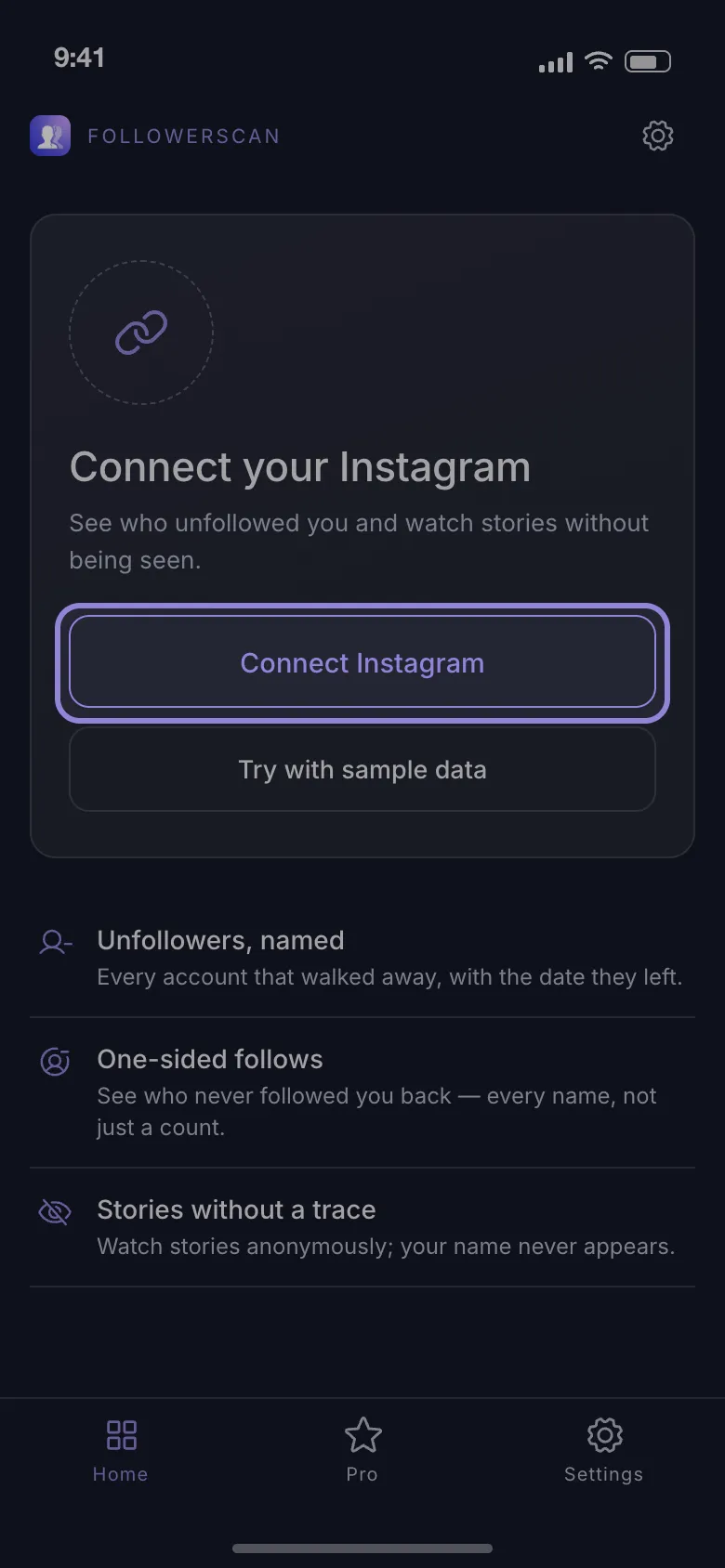
Install the app, open it and tap Connect Instagram to sign in.
-
Let the first scan finish. It is only the baseline: New followers, in the Movement section, is empty until there is a second scan to compare it with.
-
The next day, tap the refresh button — the circular arrows beside your username. The new-followers list then holds whoever arrived since, sorted Recent or Oldest first, and reaches back 7 days.
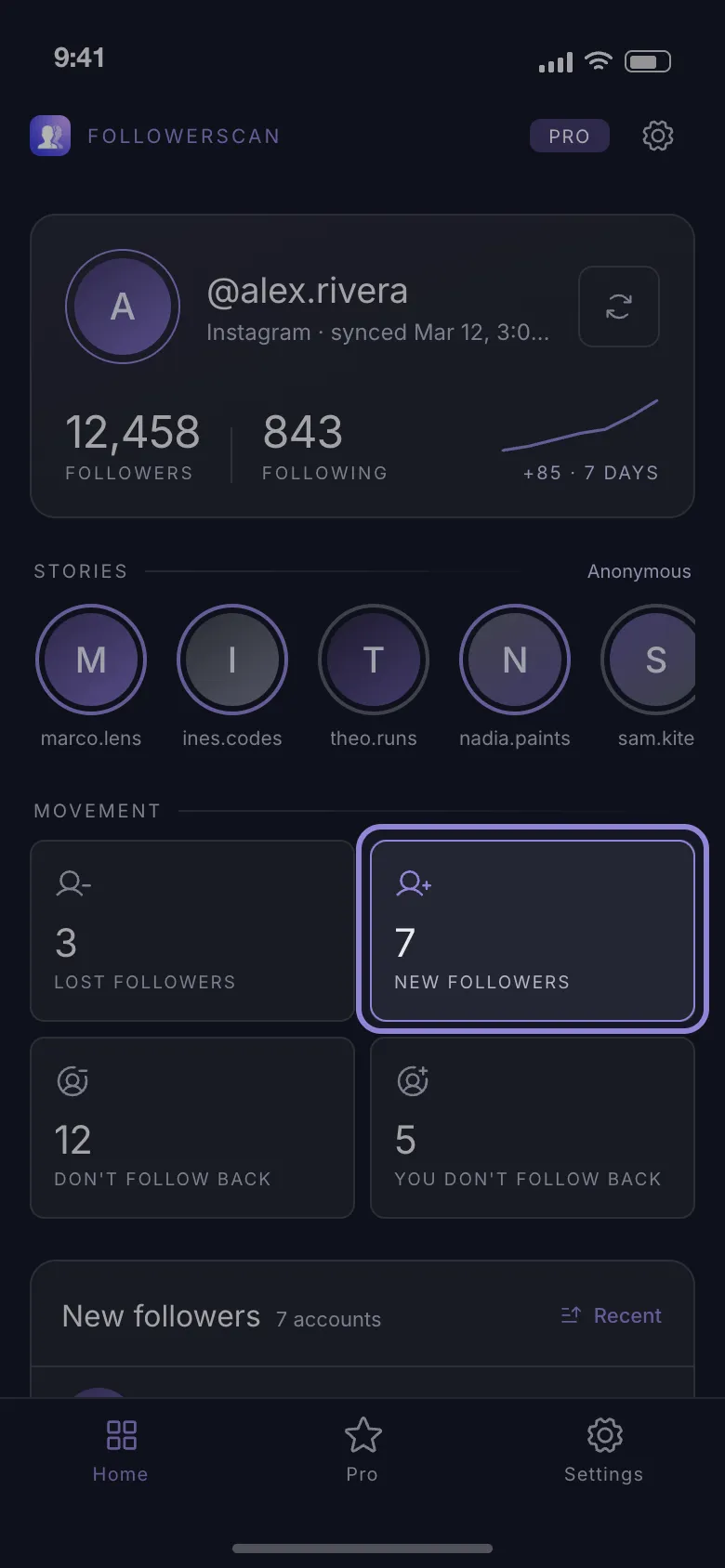
Free gets you the count: how many people arrived in that window, with six rows showing and the names still covered. Turning the count into names is the Pro subscription, monthly or yearly through the store. The free count is there to prove the method works on your account before you pay.
The same comparison fills three more lists on the same terms: unfollowers, people you follow who don’t follow you back, and people who follow you that you don’t follow back.
The first scan is slow on purpose — lists arrive from Instagram 60 accounts per page with a 2-second pause between pages, so 10,000 followers is about 170 pages: six minutes of pauses alone, before the requests themselves, and your following list is walked the same way. And the age shown beside a name is counted from the scan that first saw the account, not from a date published by Instagram.
Before you type your username into a follower-tracking site
A site that asks only for your @username is reading your list through an Instagram account of its own. Private account: it sees nothing. Public account: it gets part of the list, because Instagram cuts other people’s follower lists short for anyone who is not the owner — so whatever it calls “new followers” comes from an incomplete copy. The full list opens only to your own session.
Sites that ask you to log in want exactly that session, parked on hardware you will never see. A login arriving from a data-center address is also the pattern Instagram challenges, which is how people end up re-verifying their identity days after trying one.
Three questions are worth asking of anything you sign into, with FollowerScan’s answers:
- Does sign-in happen on Instagram’s own page, or on a form the site drew itself? Instagram’s own login page, inside the app. Cookies and web storage are cleared before it loads, and the analytics screen recording is paused while it is open, so typed credentials are never recorded.
- Where is the copy of your follower list kept afterwards? On the phone, with the session, and every follower request goes straight to Instagram: no server of the app’s receives them. Analytics, crash-reporting and billing tools do ship with the app.
- Can you cut the access off again yourself? Signing out deletes the stored lists and the saved session.
Not ready to connect anything? Download FollowerScan and tap Try with sample data on the first screen: every screen fills with example accounts, so you can judge the app before signing in.
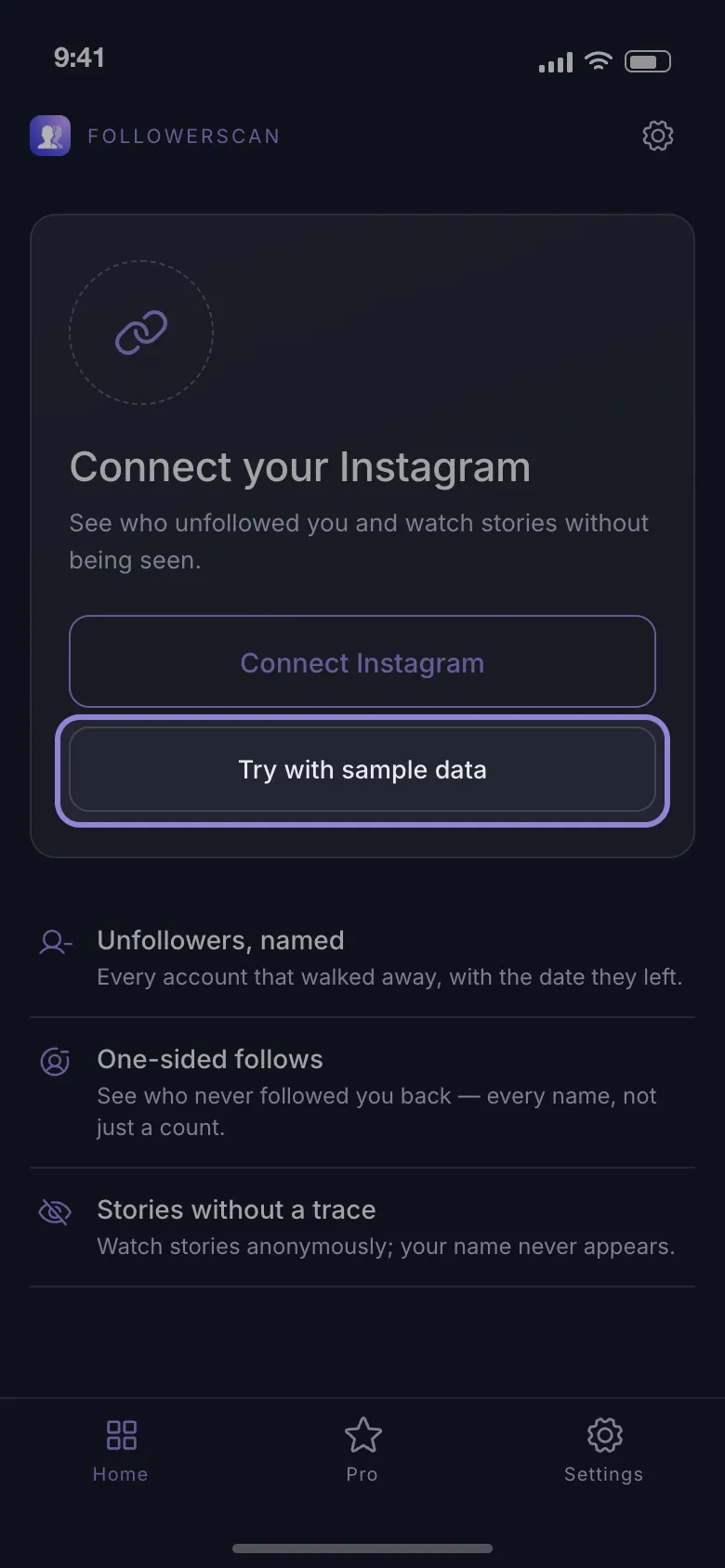
Connect when you are ready, and by the next morning the count shows how many people arrived overnight.
Frequently asked questions
Does Instagram notify you every time someone new follows you?
Yes, unless those notifications are switched off in Settings and activity → Notifications → Following and followers. On a private account there is no follow notification at first: you get a follow request, and the person only becomes a follower once you accept it.
Can I sort my Instagram followers by date?
No. There is no date sorting on the Followers list, in the app or on the web. Your own Following list does have one in the mobile app: Sort by → Date followed.
Why did a new follower disappear from the top of my list?
Search their name in your followers list. If it finds them, they only moved down. If it finds nothing, they are gone: they unfollowed, deactivated the account, or Instagram removed it.
Can I see recent followers on Instagram in a desktop browser?
Yes. The heart icon on instagram.com opens the same activity panel, with your recent follows in it, and the followers pop-up has its own search box for checking one name. Neither shows an exact follow date.
Related articles
Keep reading with these related guides and articles
How to Check if Someone Follows You on Instagram
How to check if someone follows you on Instagram in under a minute: the phone method, the desktop version, and what to...
Read moreKnowing Who Unfollowed You on Instagram: Two Methods
Instagram sends no unfollow alert. Knowing who unfollowed you on Instagram means comparing two follower lists — here is...
Read moreWhy Do Girls Unfollow Me on Instagram? 5 Honest Reasons
Why do girls unfollow me on Instagram? The five reasons behind most unfollows, how to tell a misclick from a decision,...
Read more
Get FollowerScan
See every name, not just the count.
Connect your Instagram account, let the first scan finish, and refresh whenever you want to know what changed.
No password stored • Free to start • iOS and Android